 Kiwora
How to Set Up a Discord Leveling System
What XP, levels and level roles are, how to pick thresholds that feel fair, and how to set up leveling in your server with Kiwora's Leveling page.
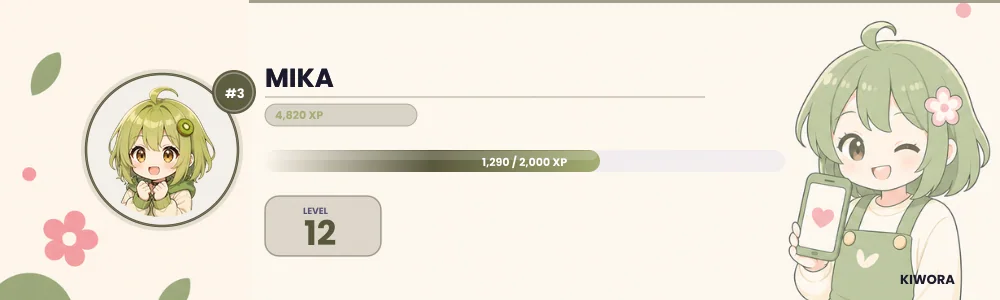
A leveling system gives your members a reason to keep showing up. They chat or hang out in voice, earn points, climb levels, and unlock roles that show how long they have been part of the community. Done well, it rewards your regulars. Done badly, it rewards whoever spams most.
This guide explains how a Discord leveling system works, how to choose numbers that feel fair, and how to set one up in Kiwora.
What XP, levels and level roles are
Three ideas make up almost every leveling system:
- XP (experience points) is what members earn by being active: a fixed amount per message, and a smaller amount per minute in voice.
- A level is a milestone built from XP. The more XP someone has, the higher their level.
- A level role is a Discord role handed out at a level. It is the visible reward, because it shows next to their name.
The role is the part members care about. XP is just the meter behind it.
Decide what leveling is for
Before you touch any numbers, decide what you want to reward. Most communities want people who show up and talk with others, not people who post fast. That means a steady curve, a cooldown that makes spamming pointless, and role names that mean something.
Pick thresholds that feel fair
Kiwora works out a level from total XP with a simple rule: the XP needed for a level is 100 times the level, squared. That gives you:
- Level 5 needs 2,500 XP.
- Level 10 needs 10,000 XP.
- Level 20 needs 40,000 XP.
- Level 50 needs 250,000 XP.
Early levels come fast and later ones take much longer, which encourages new members and keeps long-time members working toward something.
Now check it against real behavior. At the default pace a member earns 15 XP for a message, at most once a minute. Say someone chats actively for about twenty separate minutes a day. That is roughly 300 XP a day, so they reach level 5 in just over a week and level 10 in about a month. Level 20 takes around four months. That feels right for most servers. If it does not, change the pace rather than the roles.
Space the level roles out so each one feels earned. Kiwora's guided setup suggests these levels by server size:
- Small servers (under 100 members): levels 3, 7, 12, 20 and 30.
- Growing servers (100 to 1,000): levels 5, 10, 20, 35 and 50.
- Big servers (over 1,000): levels 5, 15, 30, 50 and 75.
Choose a pace
The pace is how quickly XP comes in. Kiwora has three presets, and you can adjust any number afterward:
- Chill: 10 XP per message with a two-minute cooldown, and 3 XP per voice minute. Good for small or quiet servers.
- Balanced: 15 XP with a one-minute cooldown, and 5 XP per voice minute. These are Kiwora's defaults and suit most servers.
- Lively: 25 XP with a thirty-second cooldown, and 10 XP per voice minute, with weekend and streak bonuses on paid plans. Good for busy gaming and stream communities.
Stop people farming XP
Any system that pays for messages attracts people who try to game it. Three settings handle most of it:
- The cooldown. A member earns message XP at most once per cooldown, however many messages they send, so flooding the channel earns nothing extra.
- Minimum message length. Shorter messages earn nothing, so one-word replies stop counting.
- No-XP channels and roles. Exclude spam channels, bot channels, or any role you do not want leveling.
Make the rewards visible
Name your level roles for your community, not for the number. "Regular", "Local", "Old friend" and "Family" tell a story, while "Level 20" does not. Give the top roles a color that stands out.
Level-up messages work best in their own channel, so they never bury a real conversation. Kiwora posts them in #level-ups by default, and you can point them anywhere.
Set it up with Kiwora's Leveling page
Everything above lives on one page, with a live preview of every change.
- Open Leveling in your dashboard. If you used the guided setup, it has already picked a pace and role names for your server type and size.
- On the Earning tab, choose a pace, or set the XP per message, the cooldown and the voice XP yourself.
- On the Rewards tab, add your level roles. Kiwora creates any missing roles in Discord when you save, and you choose whether a new role replaces the previous one or all of them stay.
- On the Messages tab, pick the level-up channel and edit the message. Leave the channel empty and Kiwora makes #level-ups for you.
- Press Save.
Free servers can have up to five level roles, and paid plans raise that. Members check their progress with /rank, and /leaderboard shows the all-time top ten.
What to check after a week
Give it seven days, then look at who is near the top. If it is your most present, most helpful members, it is working. If it is one person who posts constantly, raise the cooldown or the minimum message length. If nobody has reached the first role, lower the first threshold.
Leveling pairs well with a good first impression, so see our guide to an aesthetic Discord welcome message too.
Try it in Kiwora
The Leveling page sets XP, level roles and level-up messages, with a live preview.